

In May 2019 I finally replaced my super-reliable 10-year-old 16GB Quad-Core “cheese grater” Mac Pro with a 64GB iMac Pro with a 2TB SSD and Radeon Pro Vega 64 16GB graphics. It was quite an upgrade and a bit overkill, but I wanted the better thermal solution and I’d read that the iMac could be noisy. Since I was buying it though a friend who worked at Apple, I specced it up more than I would have otherwise.
The start of problems
The iMac Pro is a fantastic machine and for two years I had no issues at all. Around six months ago, while working from home, I suddenly lost connection to my network. I checked my router and modem but everything looked good. I could even access the web from my iPhone. As I’m working, I prefer to use a wired connection from my desktop machines. In the menu bar, I noticed that iStatMenus was showing a fully loaded core. That was strange. I fired up Activity Monitor and discovered one core was pegged at 120% by kernel_task. Network settings showed the ethernet connection was good, but it wasn’t working.
I unplugged the ethernet cable and kernel_task dropped back to normal, dropping macOS back to WIFI, which worked fine. As soon as I reinserted the ethernet, kernel_task went back up to over 100%. I rebooted, expecting my ethernet to still be broken, but to my surprise everything was working again. This problem continued to happen for the next few months about once a week, sometimes twice or three times.
I tried replacing the ethernet cable and changing router ports, an SMC reset, an NVRAM reset, but nothing helped. More frustratingly, I could find nothing in the system log via Console. That’s crazy. Clearly the kernel was in some kind of loop, but nothing seemed to be recorded!
After speaking with Apple Support, I bit the bullet and decided to wipe the SSD and reinstall a fresh copy of Big Sur. Hoping that would resolve the problem, after the reset, I proceeded to install some applications, being careful not to install any that include a kernel extension. After about an hour of installing (Xcode and Logic at the time), I lost connection on the ethernet port and kernel_task spun up to 100%. Clearly this wasn’t a software issue. Apple Support made me a Genius appointment.
Off for repair
As I would need to lug a heavy, awkward computer into Reading, I decided to buy a case. I discovered the Curmio on Amazon, which essentially wraps around the screen, with a rubber handle at the top. Turned out to be really great. It even has pockets on the front and back for the keyboard, trackpad and power cable.
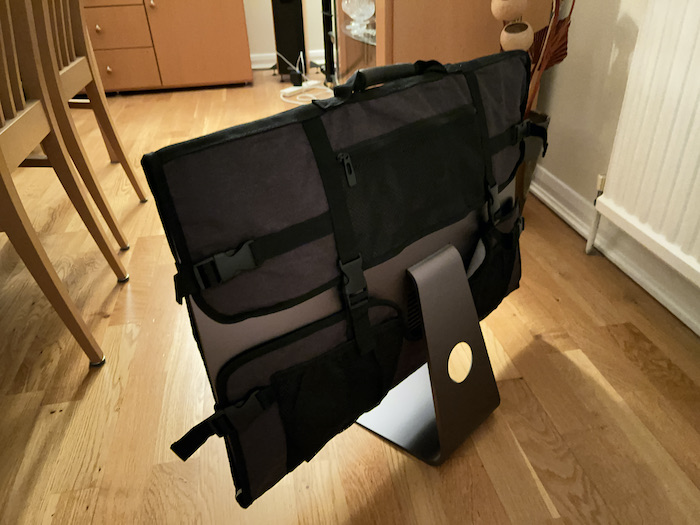
On Saturday, I strapped the iMac Pro into the back seat of the car and took it into the Apple Store. The Apple person I dealt with was also baffled by the issue and said they would likely need to replace the logic board at a cost of around £1,100 to Apple as I have Apple Care.
Hopefully I will get my computer back next weekend and it will be fixed without any additional issues (something I always dread if I have to get something repaired). I’ll provide an update in a future post. If anyone has had this issue I’d be interested to hear about it.
Update
I got my iMac Pro back today. The Apple technicians found a fault with the WIFI card. That most likely explains the intermittent ethernet problems, as it is controlled by the same card according to Apple. However, since the card is soldered to the main logic board, they had to replace the whole thing (CPU and GPU included). Since getting it back today, I have installed most of my software and it seems stable so far. Fingers crossed.
 Technology, Programming & Flight Sim